Skip to content

Knowledge Stations · Permanent stations, launches and recording options

Give your experts a permanent place to explain the work.

A Knowledge Station is an easy capture studio inside your workplace. We fit it to your room and equipment, train your operators and demonstrate the full recording workflow, so staff can explain, demonstrate and share real-work experience whenever it matters.

  • Standalone station scoped separately
  • Station + community launch packages from $15,000
  • Recording sprint $9,500
  • Studio rental from $4,900
Compare buying modes
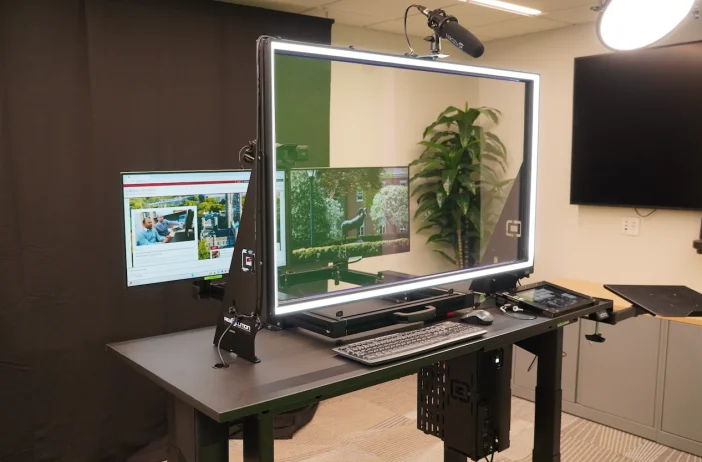
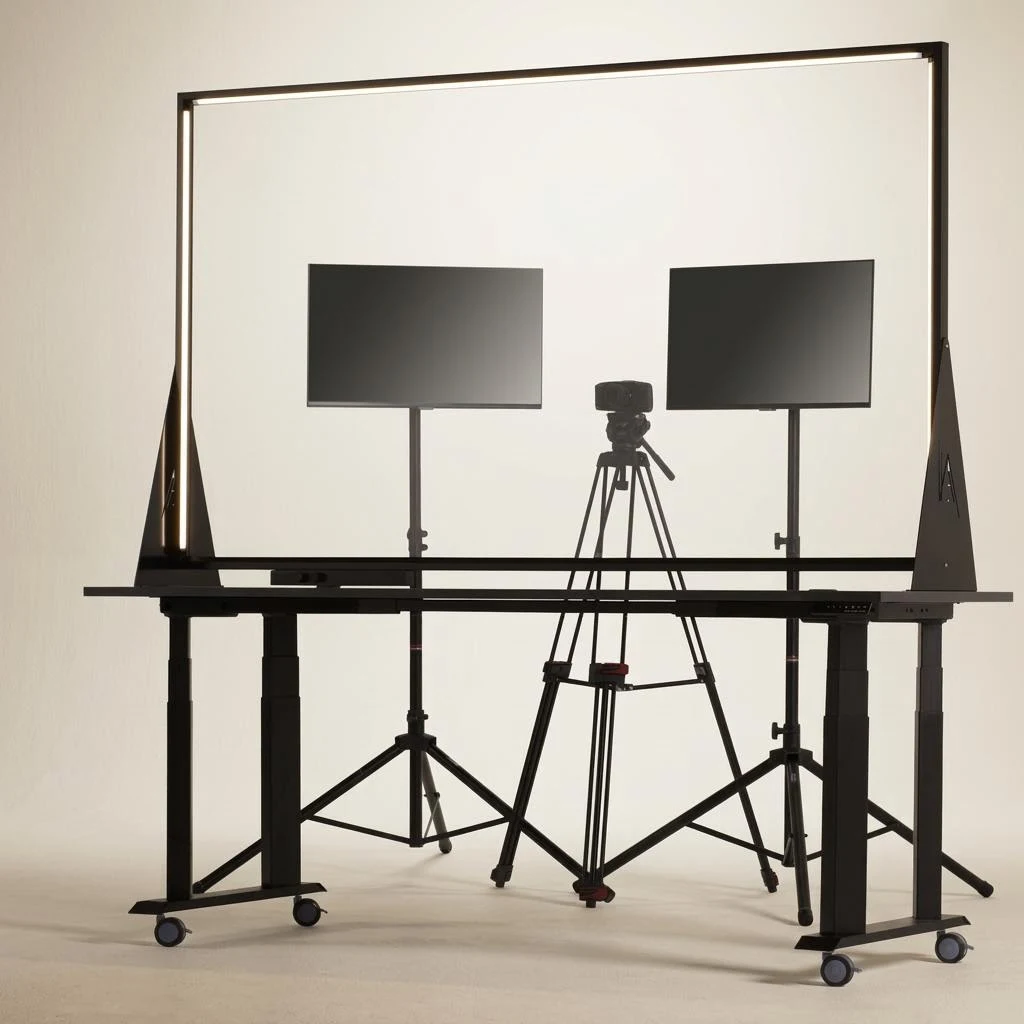
Lightboard studio apparatus: a large lit glass panel on a rolling height-adjustable desk, with two confidence monitors and a camera on a tripod.
Glass, camera, confidence monitors. One coordinated setup.
Illustrative configuration; final equipment agreed before booking.

A station your staff will actually use.

  • Busy experts
  • Repeated explanations
  • New starters
  • Handovers
  • Technology and AI changes

The explanation that gets repeated, the handover that happens in a hallway, the change nobody has time to film: a permanent station gives each of them a visible home, and makes recording part of normal work.

  • Easy for staffA routine short enough that an expert can walk in, record an explanation and walk out, without a production crew or editing skills.
  • Fits your room and equipmentWe check space, light, noise, power and access, and agree the station size, mounting and any equipment you already own before anything is ordered.
  • Operators trained on siteNamed staff learn to start the station, frame the presenter, check audio, save files and help colleagues record.
  • A demonstrated workflowBefore handover, your operator records, reviews, saves and shares a real explanation in your own systems, with DBX alongside.
01 / Five ways to buy

Start with a permanent station, or the part you need now.

Three ways to bring a station and its learning system into your organization, and two temporary recording options.

  1. 01 · Permanent station

    Scoped separately

    A standalone Knowledge Station that stays in your workplace.

    A station configured for your room and equipment, with operator training and a demonstrated recording workflow. Configuration, installation and support are agreed in a written proposal.

    • Not one of the 90-day launch packages
    • No launch fee or 90-day timeline applies
    • Want a station with a community launch? See the defined packages below
    Compare the defined launch packages
  2. 02 · Existing station + community launch

    Scoped in a proposal

    Already have a lightboard or studio? Launch the learning community around it.

    We reuse what is suitable and scope the community, staff training and learning design in a written proposal.

    • Not a discount on a launch package
    • Does not include an additional station
    • Equipment reuse confirmed after a review
    What a launch includes
  3. 03 · Connected learning system

    Separately scoped

    A station, learning programs and a community, planned as one system.

    A broader engagement does not inherit the package prices or the 90-day timeline. Each part is selected and scoped explicitly.

    • Workshops and cohort courses
    • Curriculum and self-paced lessons
    • LMS or existing-tool delivery
    • Installation and ongoing support
    About Learning Programs
  4. 04 · Assisted recording sprint · Temporary

    $9,500

    One on-site recording day, finished lessons delivered.

    We bring a studio, guide your experts and deliver 4–6 edited lessons with captions, transcripts and a job aid.

    • Temporary: no station stays on site
    • Seattle / Puget Sound
    Sprint details
  5. 05 · Temporary studio rental · Temporary

    From $4,900

    A studio installed for 14 or 28 days. Your team records.

    Installed and tested by DBX, operated by your team, collected when you are done.

    • $4,900 / 14 days or $6,900 / 28 days
    • Seattle / Puget Sound
    Rental details
02 - 90-day launchKnowledge Station and community packages

Launch your Expert Lab in 90 days.

A fixed-scope rollout, not a subscription. Your staff learn to run the Station and community alongside DBX, then take over with a practiced routine. You provide an internal owner, participating experts and agreed staff time.

Every package includes

  • Setup and staff trainingDBX guides your team as you set up the Station and community and practice running them together.
  • Learning-design supportShape explanations and exercises with your experts, who retain approval.
  • A practiced handoverAn operating guide, reusable templates and trained staff roles for your day-to-day routine. Optional ongoing DBX support is quoted separately.
A presenter writes on a 35-inch eGlass lightboard set on a desk.
35-inch · Desktop

Foundation

Prove the model around one recurring problem.

$15,00090-day launch fee

Practices
One
Initial members
Up to 30
Facilitated reviews
4
Idea launches
2
Complete Lightboard explanations
1
Knowledge Station in the fee
One 35-inch desktop Knowledge Station
Client-controlled deployment
Not included
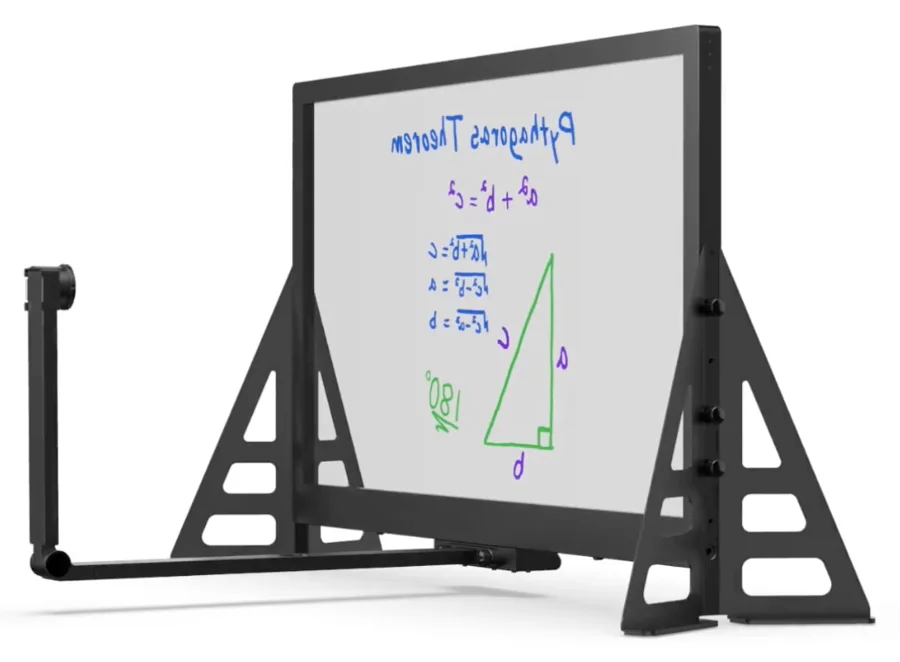
A 50-inch eGlass lightboard on A-frame legs, with a camera arm extending in front of the glass.
50-inch · Mounting agreed

Enterprise launch

Coordinate related practices across a broader organization.

$35,00090-day launch fee

Practices
Up to 3
Initial members
Up to 150
Facilitated reviews
8
Idea launches
4
Complete Lightboard explanations
3
Knowledge Station in the fee
One 50-inch Knowledge Station, mounting agreed for your space
Client-controlled deployment
Scoped

Station images: eGlass. Shown for reference - final configuration is confirmed in your written proposal.

  1. Days 1-30

    Set up the Station and community. Train the team, agree staff roles and welcome the first members.

  2. Days 31-60

    Record explanations and run practice and discussion together. Experts review answers; owners authorize trials.

  3. Days 61-90

    Client staff rehearse running the Station and community with DBX support, review the work and take over with the operating guide and templates.

Good to know

Launch fee: Covers the 90-day launch and supported handover. Time, production, platform and client responsibilities are agreed in writing.

  • Your team provides: An internal owner, participating experts with protected time, agreed staff time, named decision owners, a compatible computer and suitable space.
  • Separate scope: Ongoing DBX support is optional and quoted separately. Hosting, infrastructure, licenses, AI usage, local compute, technical operations and custom integrations remain separately scoped unless included in your agreement. Complex infrastructure is additional scope.
  • Proposal details: One station at one client site. Final equipment configuration, delivery charges, tax and any on-site work are confirmed in your written proposal. Unspecified travel and room works are not included.
03 - What you getPeople, Station, community

Tools don’t make a community useful. People do.

Your Station captures explanations. Your community puts them into practice. During launch, DBX helps your staff learn to run both together, with expert approvals and time set aside for the work.

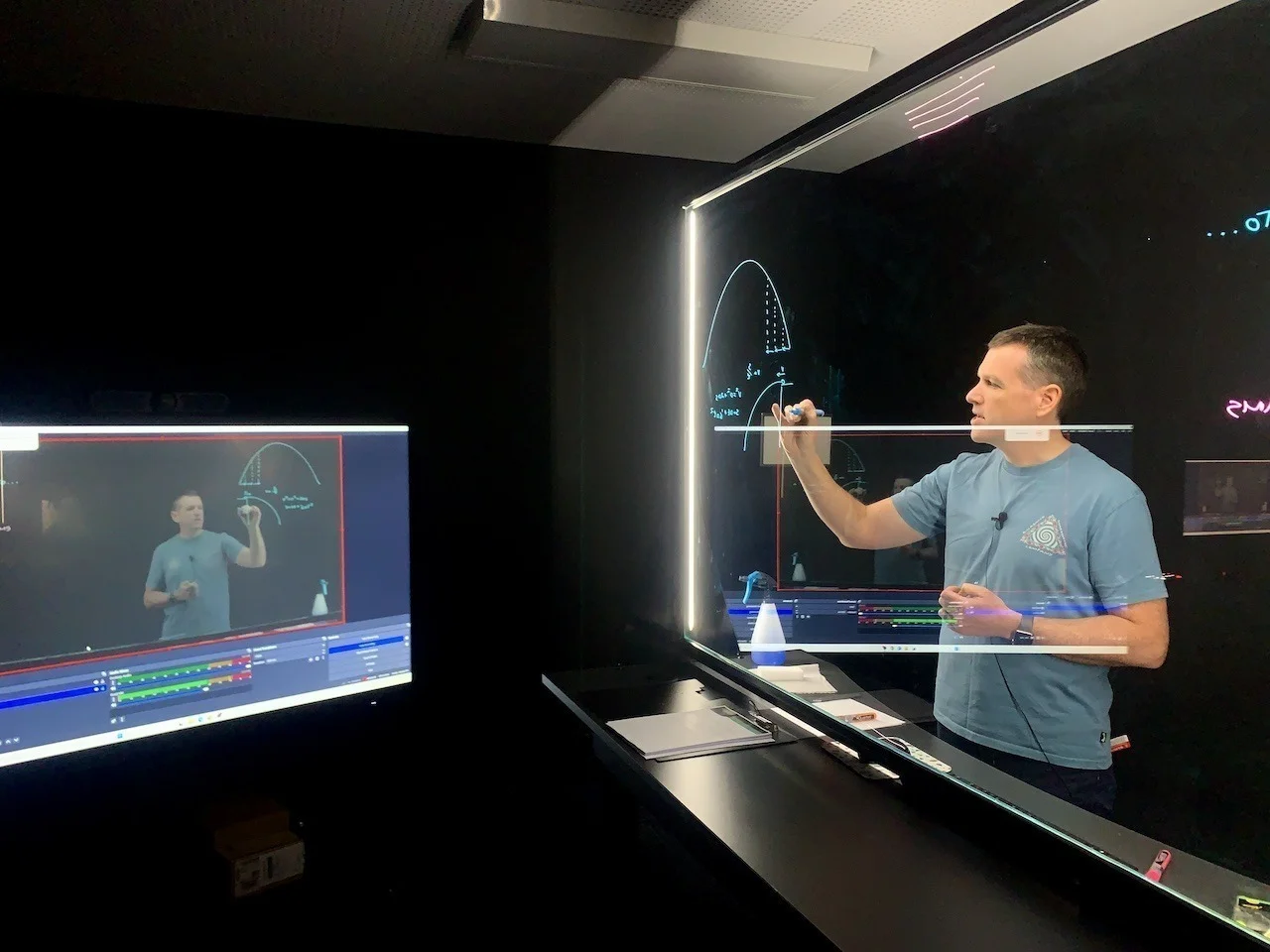
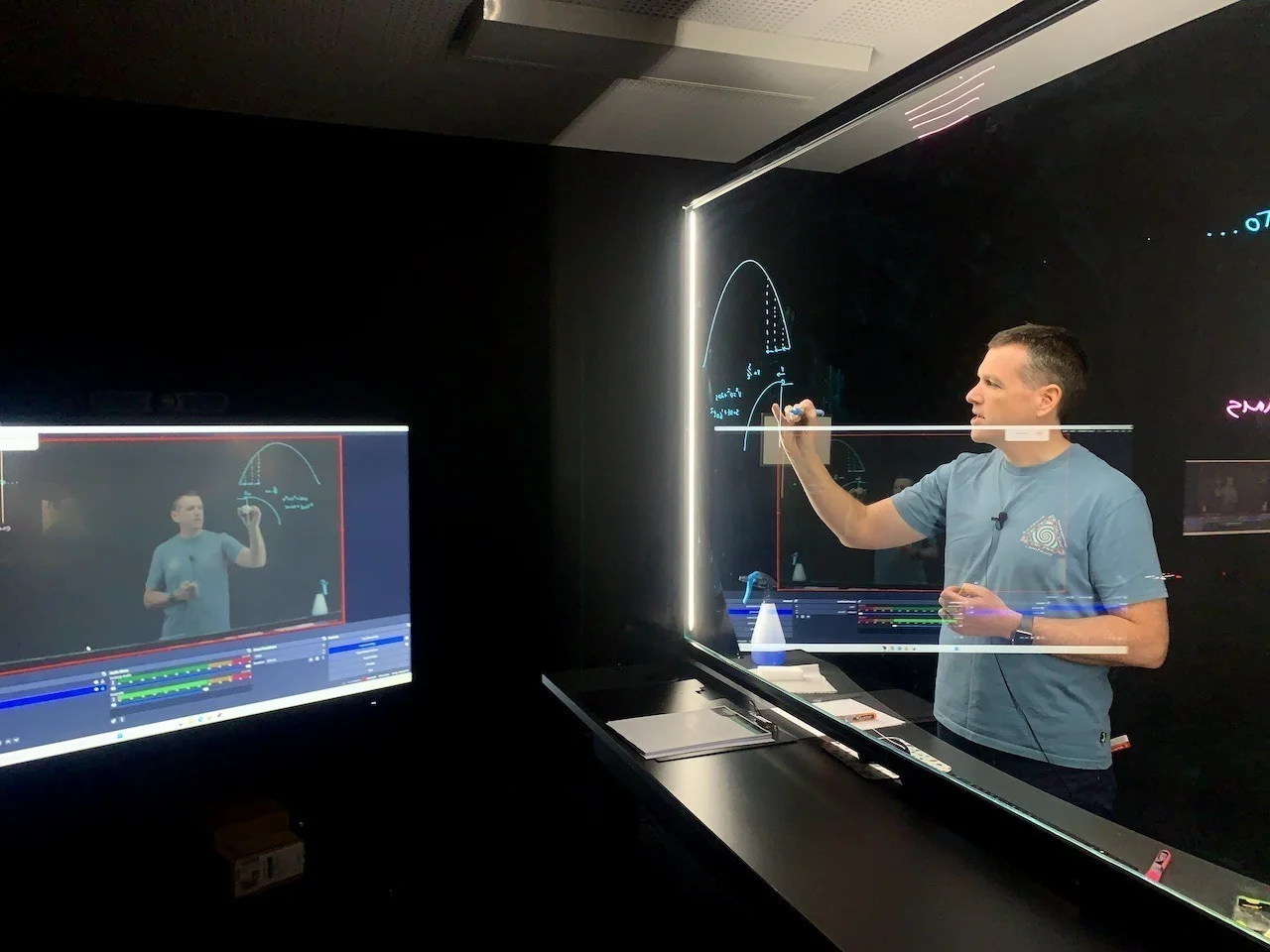
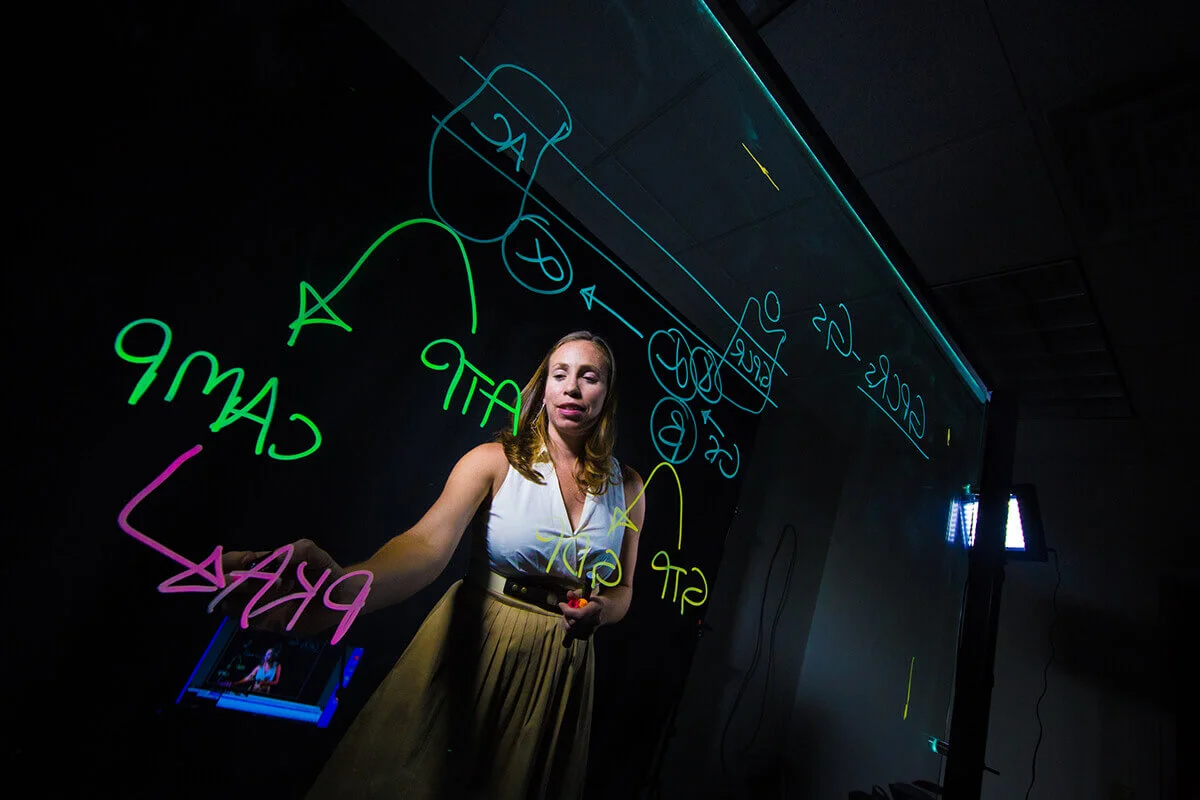
An instructor draws on an illuminated lightboard while a nearby monitor displays the recorded explanation.
A team ready to take over
DBX guides and works alongside your staff during launch. They practice the day-to-day routine, including routing expert questions, then take over with trained roles, an operating guide and reusable templates. We agree the scope and staff time with you.
A Knowledge Station
An illuminated writing board with built-in camera and light, where experts explain work while drawing. We set it up and train your staff. Learning-design support turns explanations into captions, a written companion, discussion prompts and application exercises.
A Community of Practice
A group learning together around shared work. Your staff practice running it with DBX; software alone does not make it work. Approved policies stay in your systems.
Members can ask questions, share what they try and find reviewed answers, without everyone having to meet at once.
Station sizes and setup

35-inch model

Width with legs
39.39 in
Leg footprint depth
11.02 in
Assembly height
22.01-25.95 in
Camera arm
19.33 in

50-inch model

Width with legs
52.47 in
Leg footprint depth
11.02 in
Assembly height
29.37-33.31 in
Camera arm
27.11 in

Published eGlass dimensions, not the full working footprint: the presenter, computer and camera arm need room around the station. You provide a compatible, IT-approved computer and suitable space.

eGlass specifications
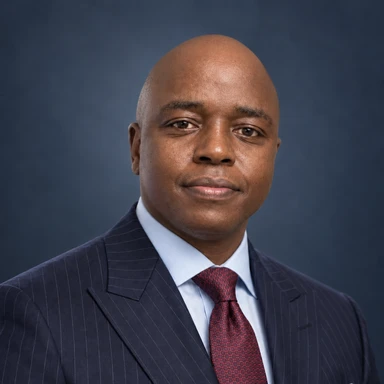
Denis Bundi

Who guides your launch

Denis Bundi

Founder and CEO · Seattle

Denis brings experience in software engineering, instructional design and learning-platform development. He leads your launch with the DBX team.

Denis on LinkedIn
04 - Station and launch questionsPlainly answered

Questions buyers ask first.

What is a managed community of practice?

A group that learns together around shared work: asking questions, trying methods and reviewing what happens. DBX helps your staff establish and practice that routine during launch, then take over. Your owners decide what changes. Software alone does not create a functioning community.

How much does an Expert Lab cost?

Fixed 90-day launch fees are Foundation $15,000 (one practice, up to 30 initial members), Growth $25,000 (two related practices, up to 75 initial members) and Enterprise launch $35,000 (up to 3 practices, up to 150 initial members). Each includes one Knowledge Station at one client site, staff training, learning-design support, shared operation with DBX and supported handover. Ongoing DBX support is optional and quoted separately. Hosting, licenses, technical operations and infrastructure are separately scoped. Independent course design starts at a $750 course base plus $225-$1,125 per lesson.

How is a community of practice different from training or an online community?

Training follows a curriculum; an online community provides a place to talk. A community of practice adds a recurring cycle: try methods at work, compare results and improve together. An Expert Lab supports that cycle with recorded explanations, discussion and authorized trials with peer review. Practices have named owners and review dates.

How long does it take to launch a community of practice?

The defined station/community packages run for 90 days: set up and train in days 1-30, record and practice together in days 31-60, then rehearse client-led operation and take over in days 61-90. Handover is the expected path, within the agreed scope and staff availability. Broader connected engagements and focused practice work have separately agreed timelines.

Can our team run this after the 90-day rollout?

Yes - that is the design goal. With DBX support, staff practice recording, welcoming members, guiding discussion, routing expert questions, maintaining reviewed answers and checking progress. You receive an operating guide, reusable templates and trained staff roles. You provide an internal owner, participating experts and staff time. We agree the staff roles, weekly time and handover scope before launch. Ongoing DBX support is optional and quoted separately; hosting and technical operations remain separately scoped.

Why pay for this when we already have Microsoft or Slack?

You pay for setup, staff training, learning design and supported handover, not just software. DBX guides and shares the work during launch. We use your existing tools where they fit; Discourse is recommended only when lasting discussion, deployment control, portability or ownership justify it.

Where does the community run?

In your existing tools, on managed Discourse hosting, or on your own infrastructure, on premises or in a private cloud, within an agreed scope. Hosting and technical operations are separate from day-to-day community operation. We agree identity, access, retention and processing boundaries for AI, email, analytics and backups with your IT team.

Do we have to use AI?

No. AI is optional, permissioned and reviewed; the community is designed to be valuable with it switched off. Dedicated Discourse communities include AI capabilities for search, summaries, reviewed-content answers, moderation and usage reporting. Discourse's included hosted model comes only with its hosting plans. Self-hosted communities use approved cloud AI, which processes selected content with that provider, or separately scoped and validated local AI. Stored AI data stays alongside community content; processing boundaries are agreed with IT.

What if we already have a thriving community?

Keep what is working. We target agreed gaps, such as expert workload, learning design, cross-team reuse or maintained practice, rather than replacing a healthy community.

How will we know it is working?

We record a baseline at the start, then look for reuse beyond the originating team, quality of methods, changes in expert effort and value to members. No posting quotas, and no outcome is guaranteed.

What is included with the Knowledge Station?

The package's selected eGlass lightboard with built-in camera and lighting, agreed mounting, setup and operator onboarding at one client site. You provide a compatible, IT-approved computer and suitable space; if you already have recording equipment, we reuse what is suitable. Foundation includes one complete explanation, Growth two and Enterprise launch three, with lengths and revisions agreed in the proposal. Delivery charges, tax, audio, cabling and any on-site work are confirmed there too. Unspecified travel and room works are not included.
05 / Temporary options

Need finished lessons now, or a studio for a few weeks?

Choose the sprint if you want finished lessons without adding work for your team. Choose the rental if you have people to record and edit. Neither leaves a station on site.

Need short explainer videos for marketing? Explanation Ads is a separate marketing service and is not included in any station, sprint or rental.

Assisted recording sprint

$9,500

We guide the recording and deliver finished lessons.

Turn the know-how people depend on into training they can return to. We bring the studio, guide your experts and deliver short, polished lessons for your existing learning channels - all around one recording day.

  1. Prepare
  2. Guided capture
  3. Edit and review
  4. Finished lessons

Includes

  • One workflow; 4–6 agreed lessons, up to 30 finished minutes total
  • Up to 2 presenters, one room and setup
  • One eight-hour on-site day including install and removal
  • Recording plan, presenter preparation and direction
  • Edited videos with human-reviewed captions and transcripts
  • One shared job aid and application questions
  • One consolidated revision; agreed delivery formats

Good to know

  • You bring approved source material, available experts and one reviewer who consolidates feedback.
  • Schedule and readiness are agreed before booking.
  • Separate scope: full curriculum research, animation, translation, tracked LMS packages or integration.
  • Prices exclude tax. Any extra travel and additional work are agreed before booking.
Installed studio rental

Installed by us. Operated by your team. Collected when you’re done.

Your team prepares the content, records, edits and publishes. Staff and editing are separate. Best fit: a focused recording campaign, an onboarding refresh, an expert handover, or several instructors recording around schedules.

Rental duration

We install and test → Your team records → We collect.

Includes

  • Agreed lightboard and presenter setup, with background
  • Camera and tripod
  • Microphone and audio
  • Lights
  • Recording station and confidence monitor
  • Suitable teleprompter
  • Delivery and installation, presets, operator orientation
  • One hour of remote support each week
  • Collection

Good to know

  • At handover, your operator makes, reviews and saves a test recording.
  • Before booking we confirm a suitable room, light and noise, power and access, dates and delivery.
  • Prices exclude tax. Any extra travel, extensions and additional work are agreed before booking.

Side by side

Assisted recording sprint
Who records
Your experts, guided by DBX
Who edits
DBX
You receive
4–6 finished lessons, captions, transcripts, one job aid
You prepare
Approved source material, experts, one reviewer
Price
$9,500
Installed studio rental
Who records
Your team
Who edits
Your team (editing is separate)
You receive
A tested studio at your workplace, collected when done
You prepare
Content, operator, room, dates
Price
$4,900 / 14 days or $6,900 / 28 days

Sprint and rental: on-site in Seattle / Puget Sound.

06 / How it works

The expert faces the camera. The thinking stays in view.

The expert writes on a transparent board while facing the camera. The recording shows the person and the writing together, readable.

07 / Sprint and rental questions

What buyers ask before booking a sprint or rental.

Anything not covered here, ask in the inquiry. We reply before anything is booked.

How much room do we need?

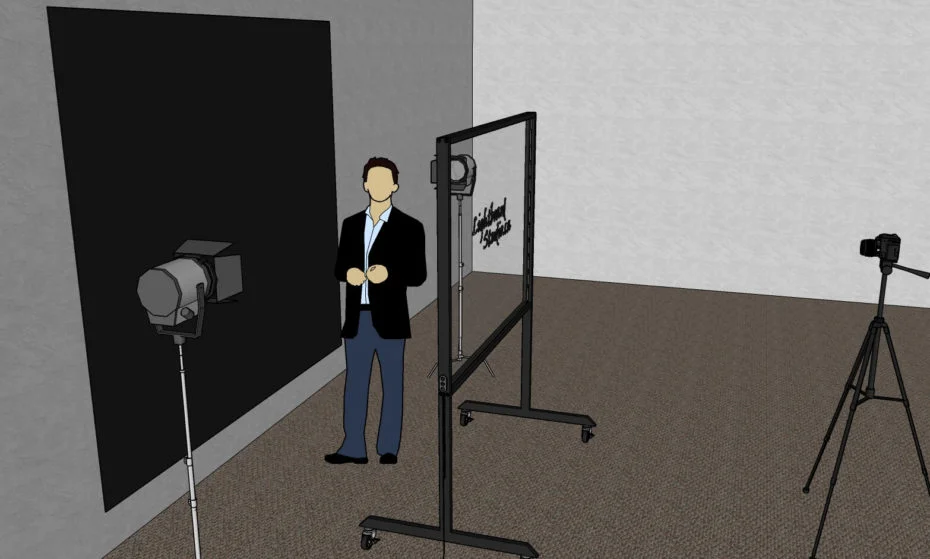
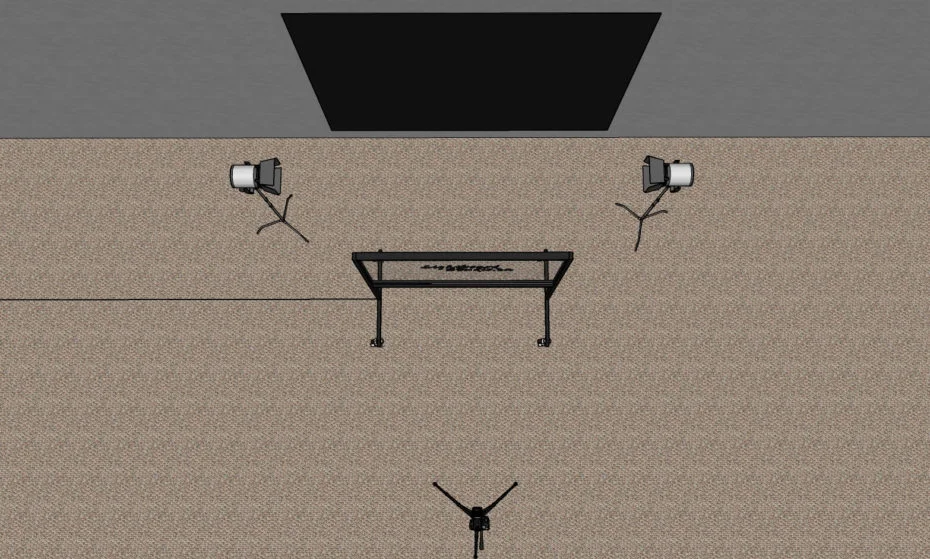
A quiet room with space for the board, the presenter behind it, the lights and the camera in front. Send photos and rough dimensions with your inquiry and we confirm whether the room works before anything is booked.

How much of our experts' time does it take?

For the sprint, recording happens in one eight-hour on-site day, including install and removal, with up to two presenters. Preparation time is agreed in the recording plan, and one reviewer consolidates feedback on the edited lessons. With the rental, your team sets its own recording schedule within the 14 or 28 days.

What if our room isn't suitable?

We check light, noise, power and access before booking, so nothing is booked until the room is confirmed. If it isn't suitable, we tell you what would need to change.

How far ahead should we book?

Dates depend on studio availability and delivery. Share your target date in the inquiry and we confirm available dates in our reply, before anything is booked.

What will our IT or security team need?

Tell us your requirements in the inquiry. We confirm file delivery, delivery formats and any device or data-handling requirements with you before booking.

What files do we receive?

Sprint: edited videos with human-reviewed captions and transcripts in the agreed formats, plus the job aid and application questions. Source and reuse files are those agreed in scope; raw footage and editable projects are not delivered automatically. Rental: your team records, edits and saves its own files.

08 / Buyer brief

Rental and assisted sprint buyer brief.

This brief covers the two temporary options only: the installed studio rental and the assisted recording sprint. Permanent Knowledge Stations and connected learning systems are scoped separately.

DBX Lightboard Studio: rental and assisted sprint buyer brief

Scope

Installed studio rental: one common scope, 14 days ($4,900 total) or 28 days ($6,900 total).

Rental setup: agreed lightboard/presenter setup, background, camera/tripod, mic/audio, lights, recording station, confidence monitor and suitable teleprompter. Delivery/install, presets, operator orientation, one hour remote support weekly and collection.

Assisted recording sprint ($9,500): one workflow, 4–6 agreed lessons up to 30 finished minutes total, up to 2 presenters, one room and setup, one eight-hour on-site day including install and removal.

Sprint support: recording plan, presenter preparation/direction, guided capture, editing and review.

Preparation

Before booking we confirm a suitable room, light and noise, power and access, dates and delivery.

For rental your team prepares the content and provides an operator to record, edit and publish.

For the sprint you bring approved source material, available experts and one reviewer who consolidates feedback. Schedule and readiness are agreed before booking.

Responsibilities

Rental: DBX installs and tests; your team records, edits and publishes; DBX collects. Staff and editing are separate.

Sprint: DBX guides the recording and delivers finished lessons.

Deliverables

Rental: your operator makes, reviews and saves a test recording at handover.

Sprint: edited videos, human-reviewed captions and transcripts, one shared job aid and application questions, agreed delivery formats for your existing learning channels. One consolidated revision.

Source and reuse files are those agreed in scope. Raw footage and editable video projects are not delivered automatically.

Not in the sprint

Full curriculum research, animation, translation, tracked LMS packages or integration.

Acceptance

Rental handover is checked with your operator’s saved test recording. For the sprint, your reviewer checks the lessons, finished duration, captions/transcripts, job aid, questions and formats against the agreed scope and consolidates revision notes. Acceptance is based on agreed deliverables, not promised usage or learning outcomes.

Prices and travel

Prices exclude tax. Any extra travel is agreed before booking. Extensions and additional work are agreed separately.

Next step

Send the inquiry. We confirm room, dates and scope with you before anything is booked.

Contact

denis@dbxai.com · 206-880-2045

Discovery Engine LLC DBA DBX Expert Lab

09 / Partners

Your client. Your curriculum. Our recording and production support.

A scoped studio and production workstream sits under your curriculum, your brand and your client relationship. You direct the program and the client. Client experts approve the content. DBX supplies the agreed studio and production.

10 / Start here

Tell us what your experts know.

Four fields are enough. We reply to confirm room, dates and scope before anything is booked.

denis@dbxai.com206-880-2045

Optional context
How we use your information

DBX saves the details you submit to review your initiative, respond, and follow up. We also record the DBX page you came from and the progress of the conversation to understand which inquiries are a good fit. Submitting does not sign you up for a newsletter.

Please do not include confidential client or personal information in your description. For questions about your submitted information, or to request its deletion, email denis@dbxai.com.